Control Every Edge.
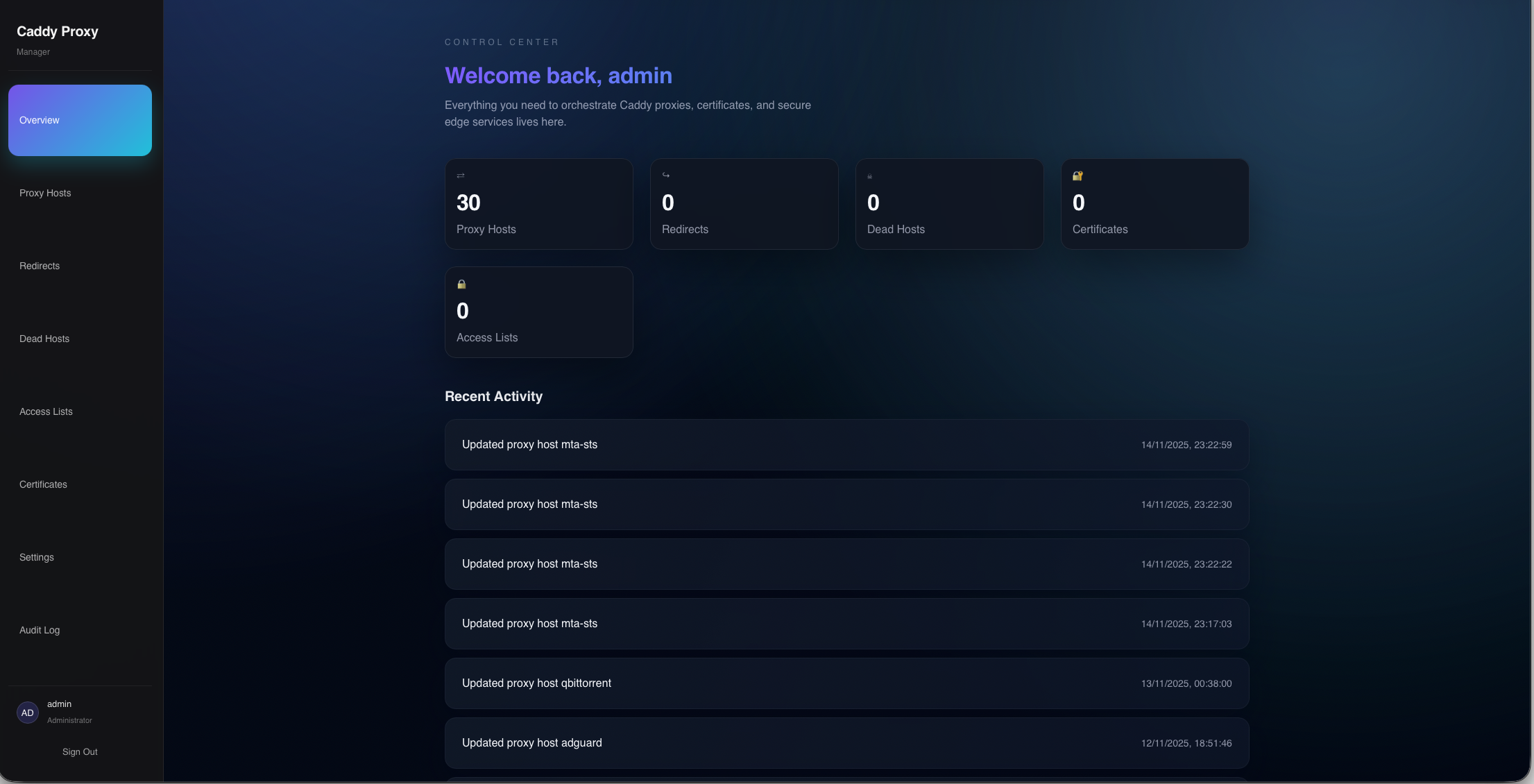
The modern web interface for Caddy Server. WAF protection, automatic HTTPS, mTLS, forward auth, geo blocking, L4 TCP/UDP proxying, traffic analytics, a full REST API, and a complete audit trail. All in one place.
Powerful Simplicity
Everything you need to manage your infrastructure, nothing you don't.
Reverse Proxy
Multiple upstreams, load balancing (8 policies), health checks, custom headers, location rules, redirects, rewrites, and upstream DNS pinning.
L4 TCP/UDP Proxy
Layer 4 stream proxying for TCP and UDP. TLS SNI matching, proxy protocol, health checks, and geo blocking at the transport layer.
Forward Auth Portal
Built-in identity provider for protecting apps without an external IdP. Credential and OAuth login, user groups, and per-host access control.
WAF
Web Application Firewall powered by Coraza with OWASP CRS. Block SQLi, XSS, LFI, and RCE with per-host control and rule suppression.
Auto HTTPS & mTLS
Automatic TLS via ACME with Let's Encrypt and DNS-01 through 20+ DNS providers. Built-in CA for mutual TLS with role-based path access control.
Traffic Analytics
Live request charts, protocol breakdown, country heatmap, top user agents, and blocked request log powered by ClickHouse.
Geo Blocking
Block or allow by country, continent, ASN, CIDR, or exact IP per host, with priority allow-override rules and fail-closed mode.
REST API
Full REST API under /api/v1/ with Bearer token auth, API token management, and interactive OpenAPI 3.1.0 docs at /api-docs.
Access Control
HTTP basic auth, forward auth with user groups, mTLS RBAC with path-based rules, and three-tier user roles (Viewer, User, Admin).
OAuth / SSO
OAuth2/OIDC authentication with any compliant provider — Authentik, Keycloak, Auth0, and more. Account linking from the Profile page.
Instance Sync
Master/slave configuration sync for multi-instance deployments. Push proxy hosts, certs, and settings to replicas on every change, with secrets sealed to each replica's pinned key.
Audit Log
Every configuration change is tracked with user attribution and full-text search. Dark mode, mobile UI, and search across all views.
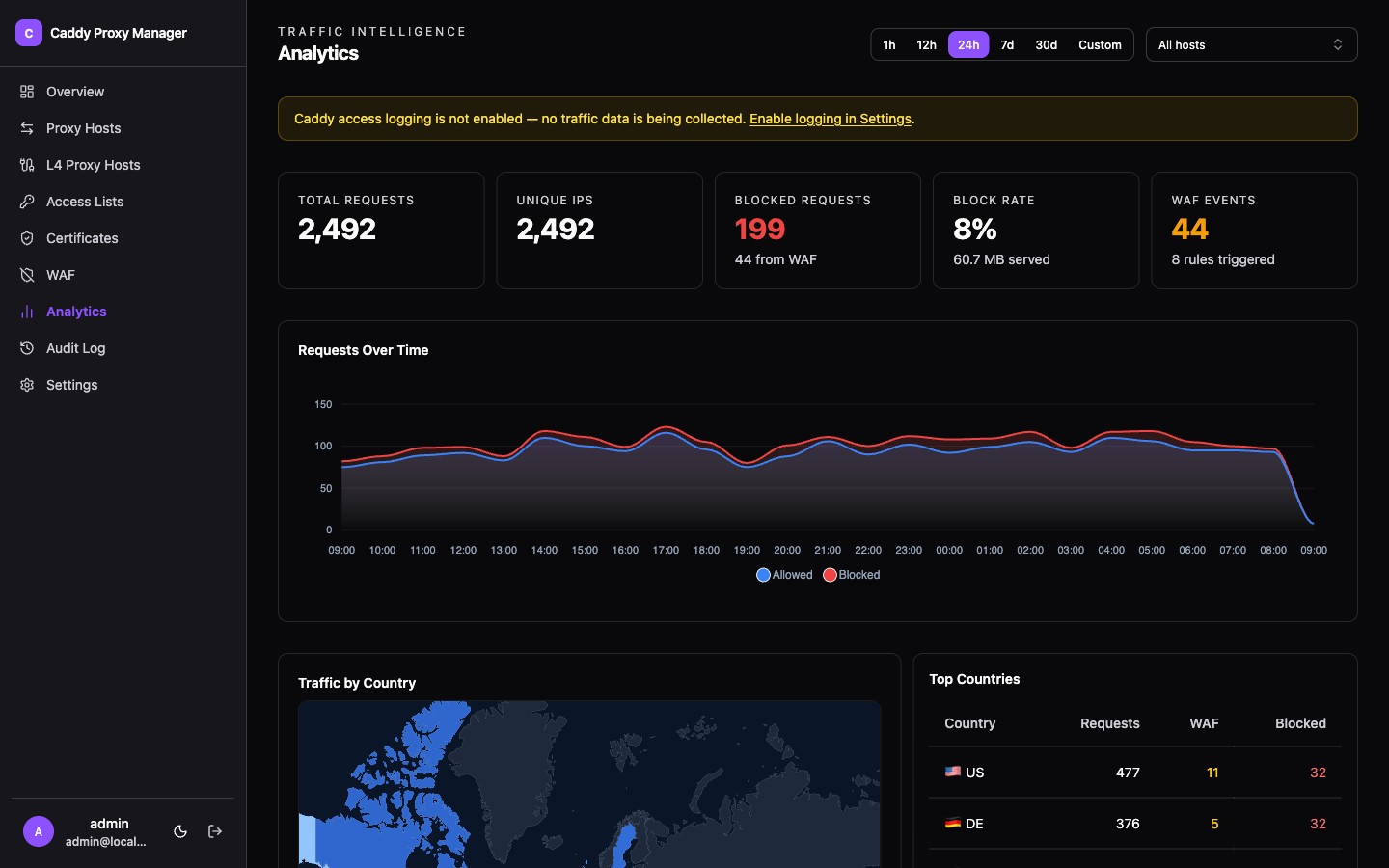
See every request,
in real time.
Charts, protocol breakdown, country heatmaps, user agent breakdowns, and a paginated blocked-request log. Filter by host or pick any time range — all powered by ClickHouse with configurable retention (30 days by default).
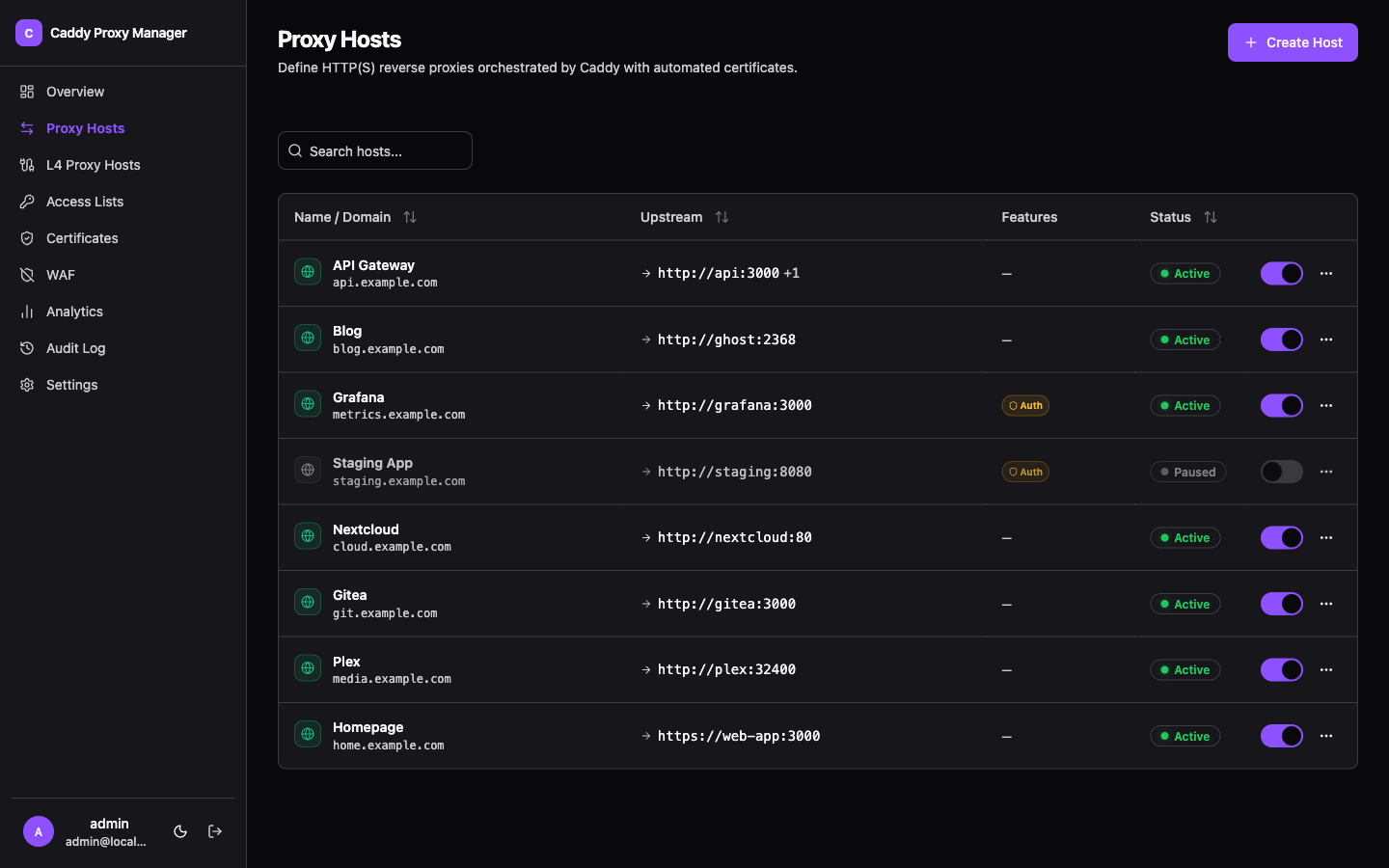
Every reverse proxy,
one interface.
Search across all hosts, toggle them on or off instantly, and configure upstreams, load balancing, and access lists without touching a config file.
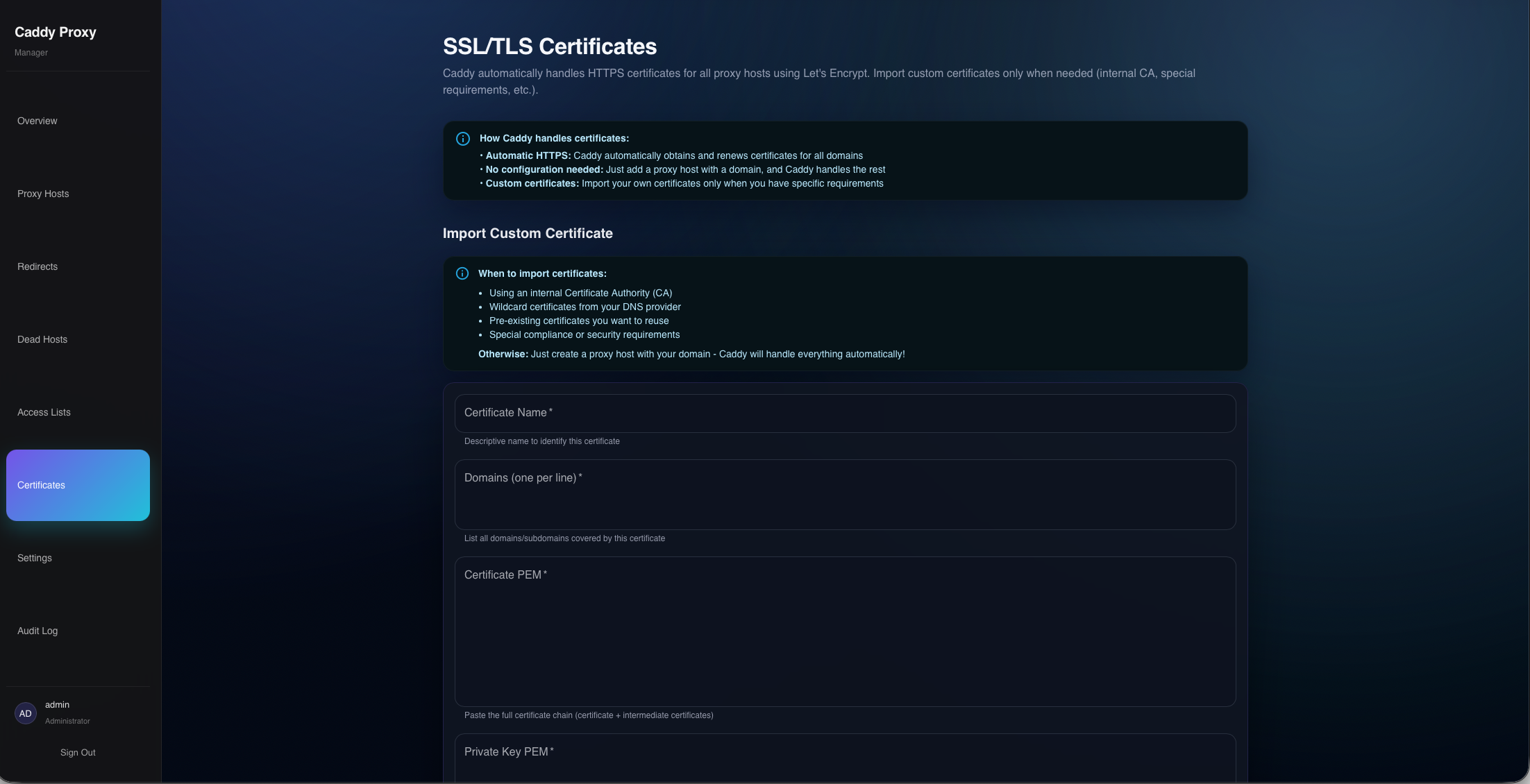
HTTPS by default.
Visibility built in.
Caddy handles certificate issuance automatically. The Certificates page shows issuer, expiry, and status for every managed cert. Import custom certs or use the built-in CA to issue internal client certificates.
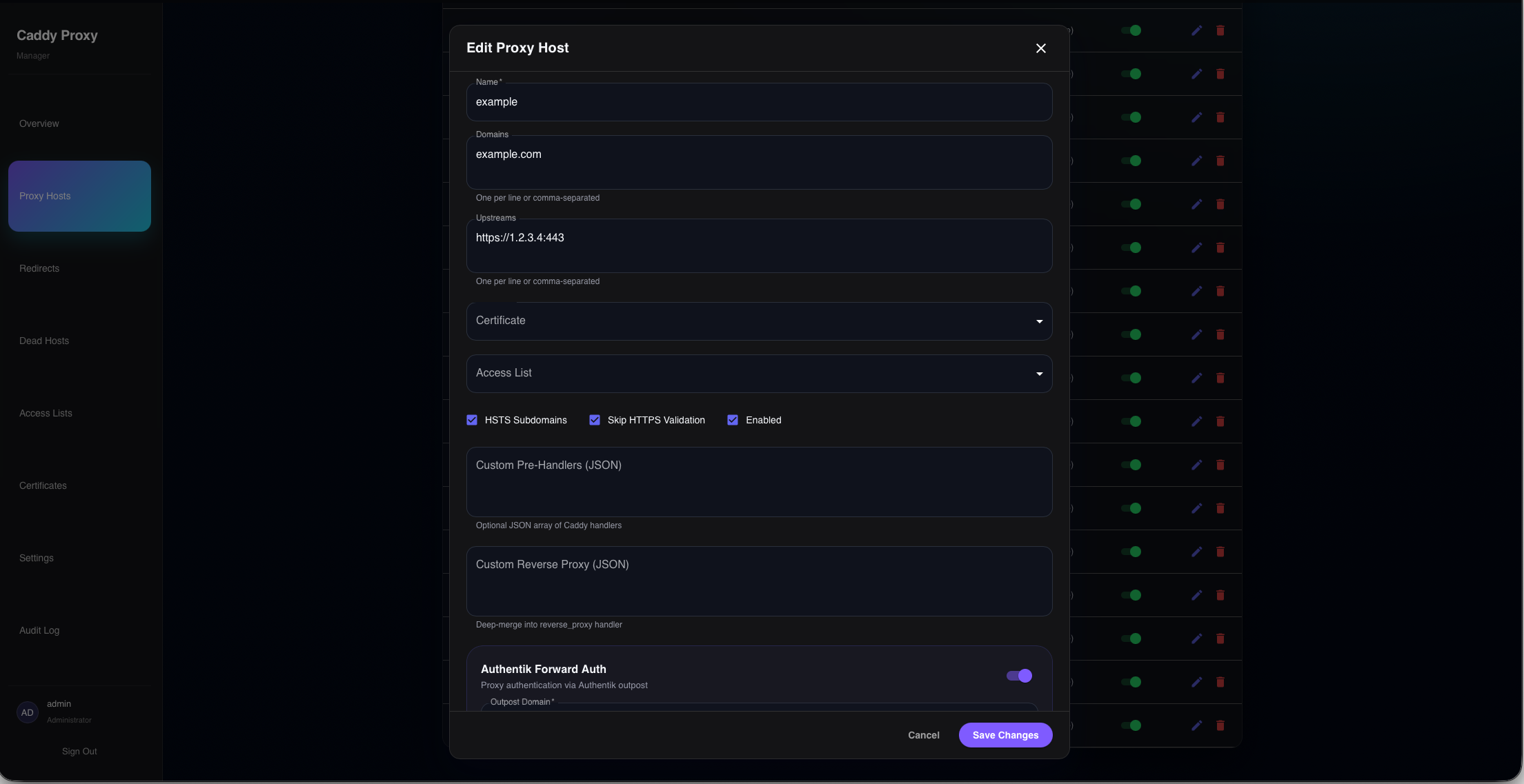
Every option,
without the YAML.
The host editor exposes load balancing policies, forward auth, location rules, redirects, DNS pinning, geo blocking, mTLS, and WAF settings all from a single form.
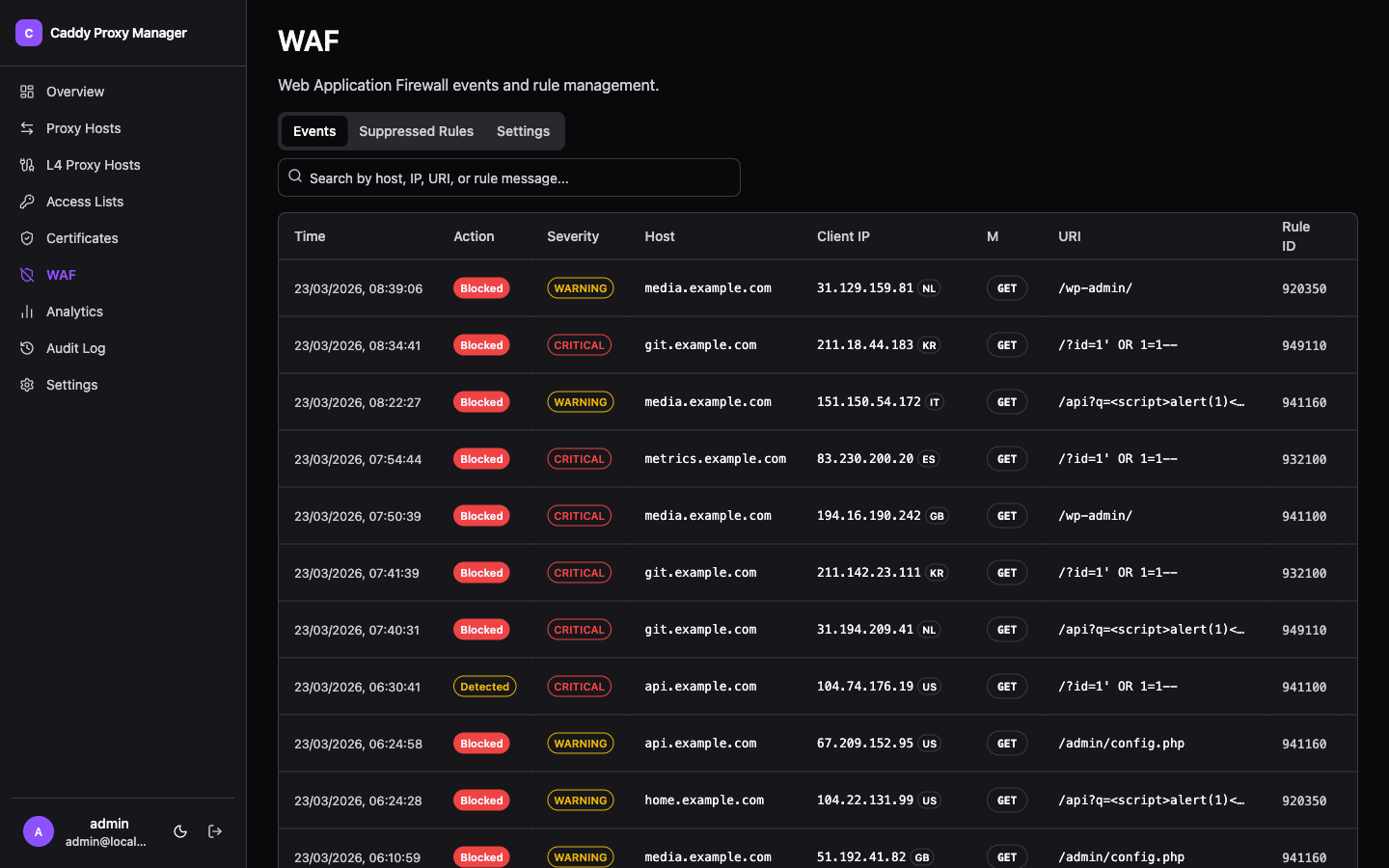
WAF protection,
zero config.
Enable the Coraza-powered WAF with OWASP Core Rule Set in one click. View blocked and detected events with credentials redacted, suppress noisy rules globally or per host, and add custom SecLang rules, checked before they reach Caddy.
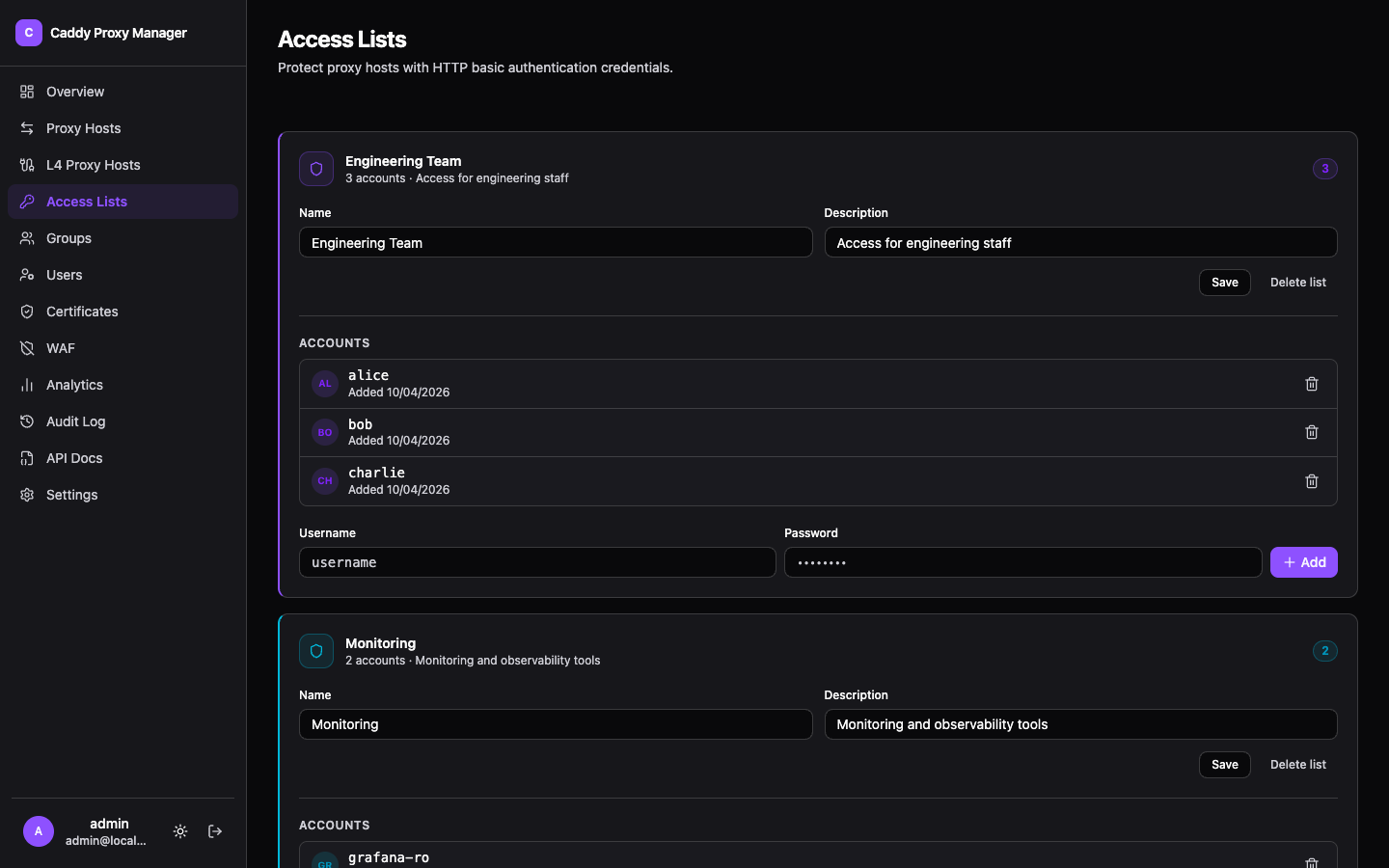
Protect any app,
no external IdP.
The built-in forward auth portal redirects unauthenticated visitors to a login page, issues session cookies, and validates every request. Organise users into groups and control access per host — or bring your own OAuth provider.
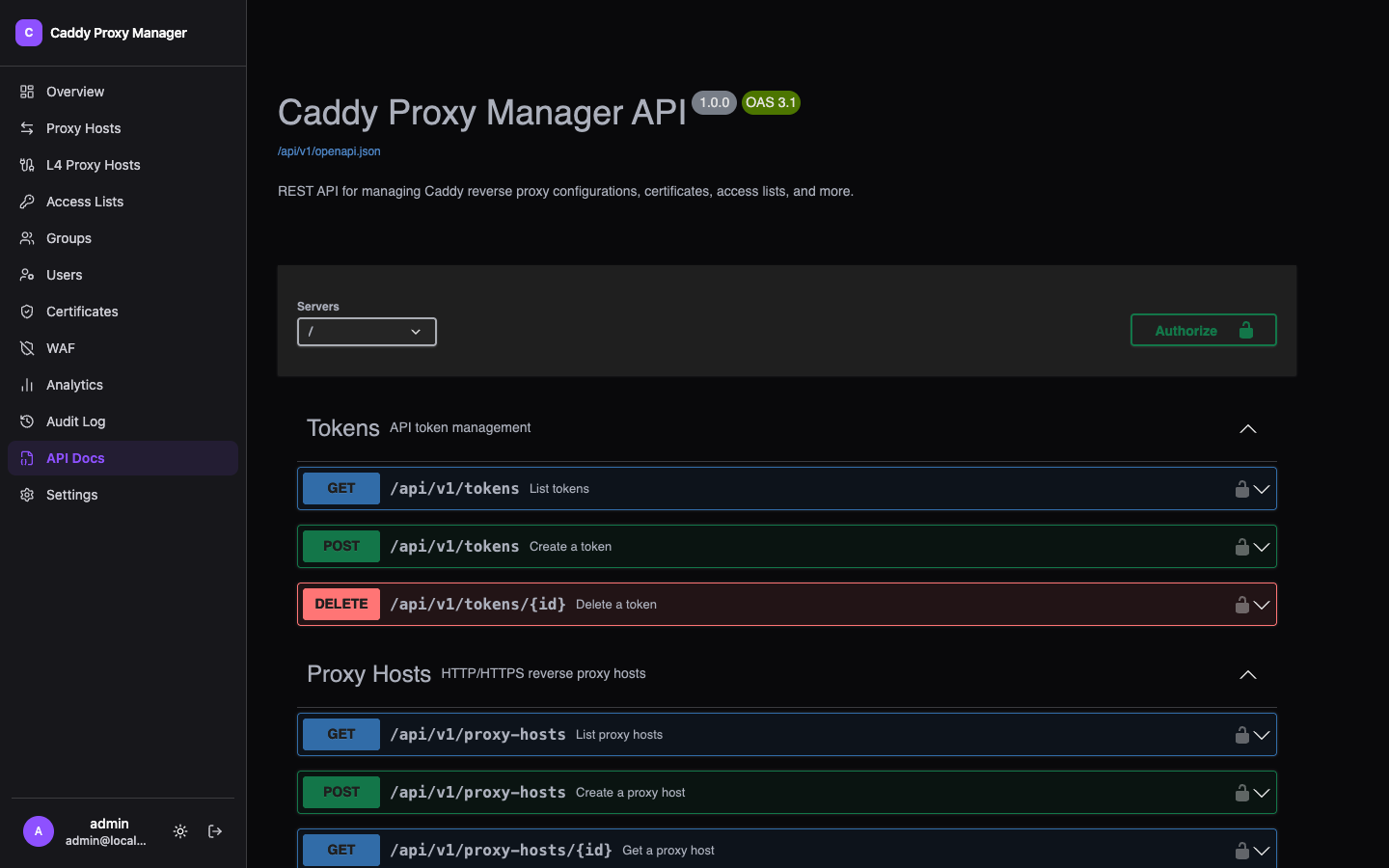
Full REST API,
fully documented.
Manage every resource programmatically through /api/v1/ with Bearer token authentication. Interactive OpenAPI 3.1.0 docs at /api-docs, API token management with optional expiration, and three-tier role-based access.
Deploy in Seconds
A single docker-compose file is all you need.
Access at http://localhost:3000 · Data persists in Docker volumes